
The Application History includes actions not related to specific physical items. Non data audit trail tracking allows administrators to view and search the application history for all or selected action items.
To view and search the Application History…
-
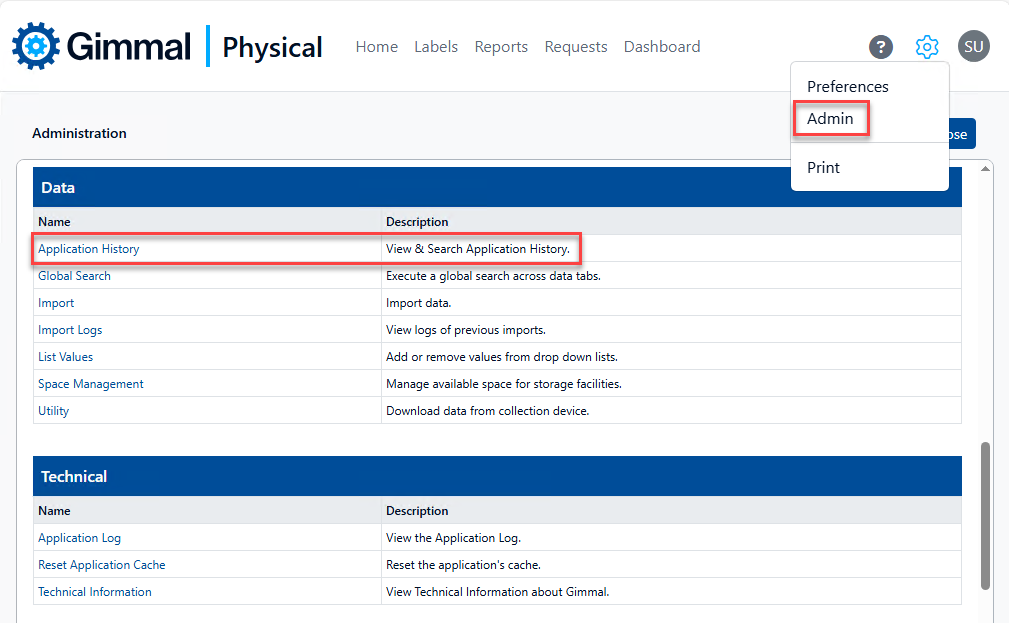
Click the Admin option in the gear menu.
-
On the Admin page, click Application History in the Data section.
-
The Application History page allows you to search for all history entries or you can select various criteria for a more targeted search. Leaving the Date/Time, Description, and User fields blank, with all Action options selected will execute a search for all history entries.
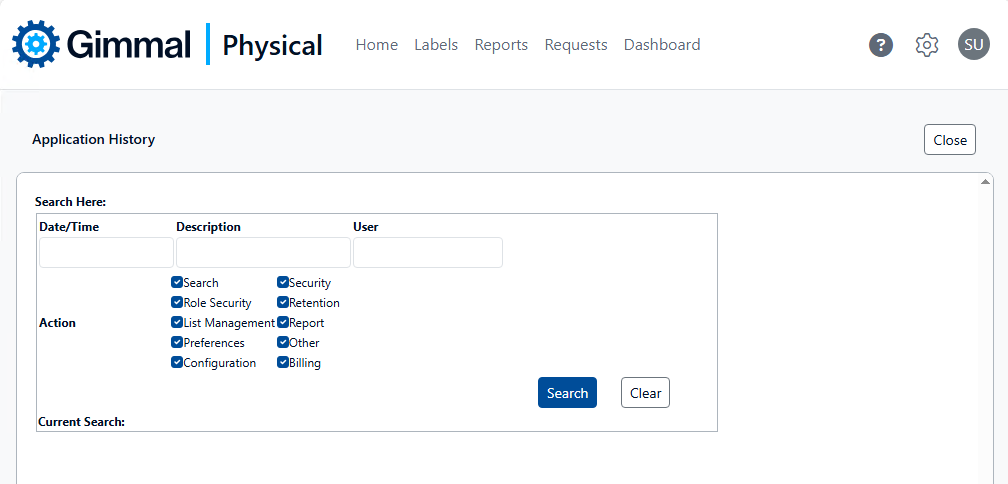
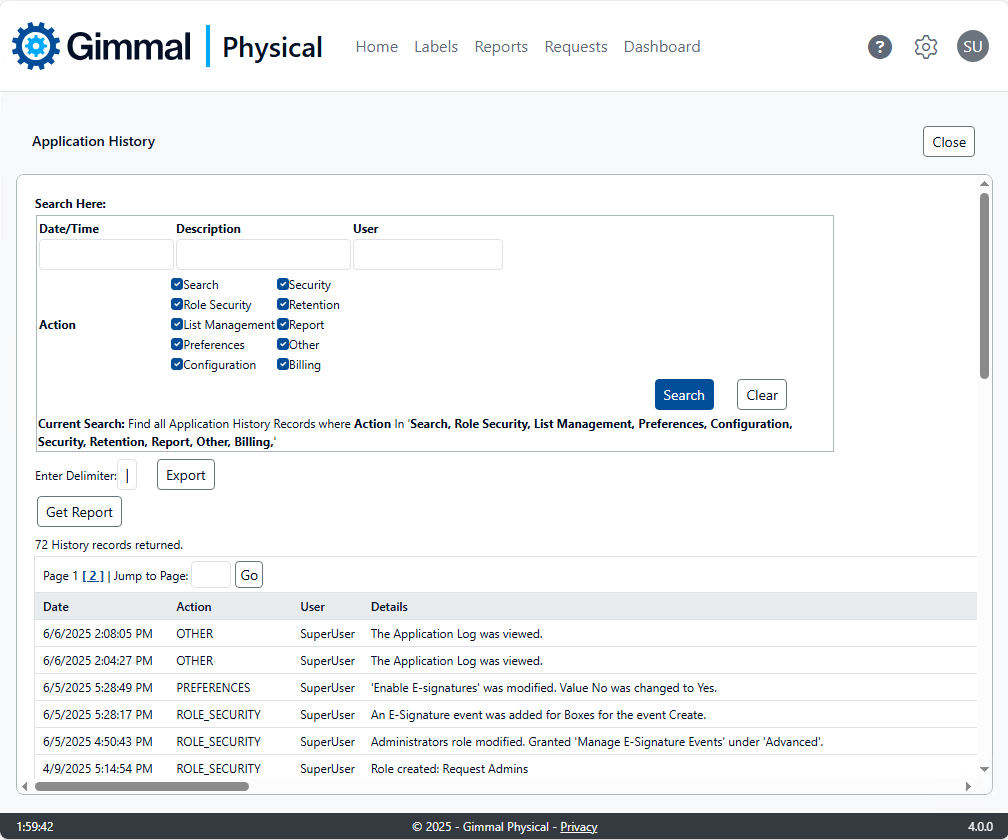
The Application History page search interface includes the following options:
-
Date/Time: Date and Time of the logged entry
-
Description: Corresponds to the Details of each result
-
User: Username of the account executing the logged action
-
Actions
-
Search: Includes configuring, saving, executing Search operations
-
Role Security: Includes creating, configuring, modifying Role permissions and abilities
-
List Management: Includes adding, removing, modifying List Values for list fields
-
Preferences: Includes changes and updates made to preferences in the application
-
Configuration: Includes updates to Field Display and Field Display - Advanced
-
Security: Includes changes to application licensing
-
Retention: Includes actions related to processing retention
-
Report: Includes actions related to reports and report files
-
Other: Includes actions not included in other categories
-
Billing: Actions related to storage and Space Management
-