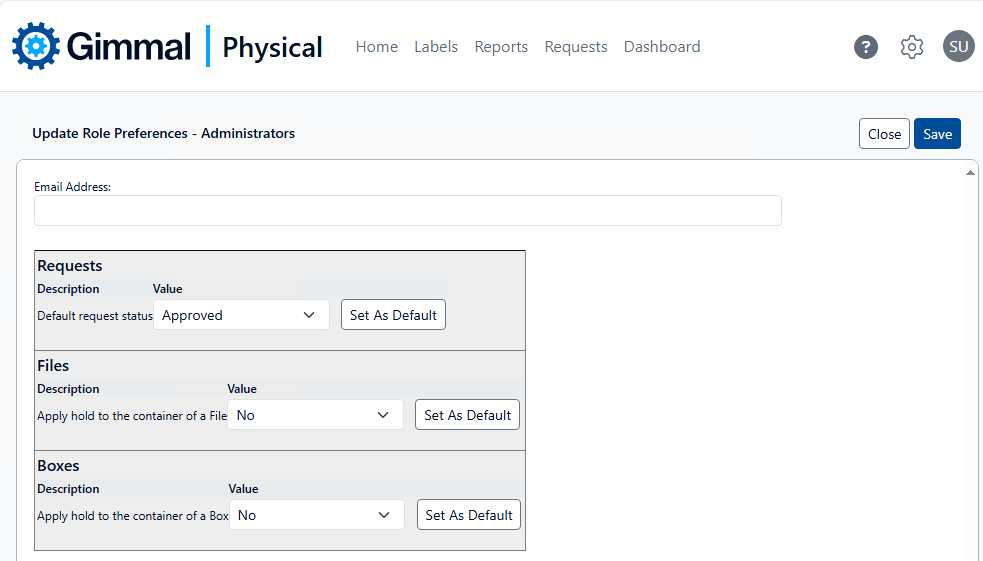
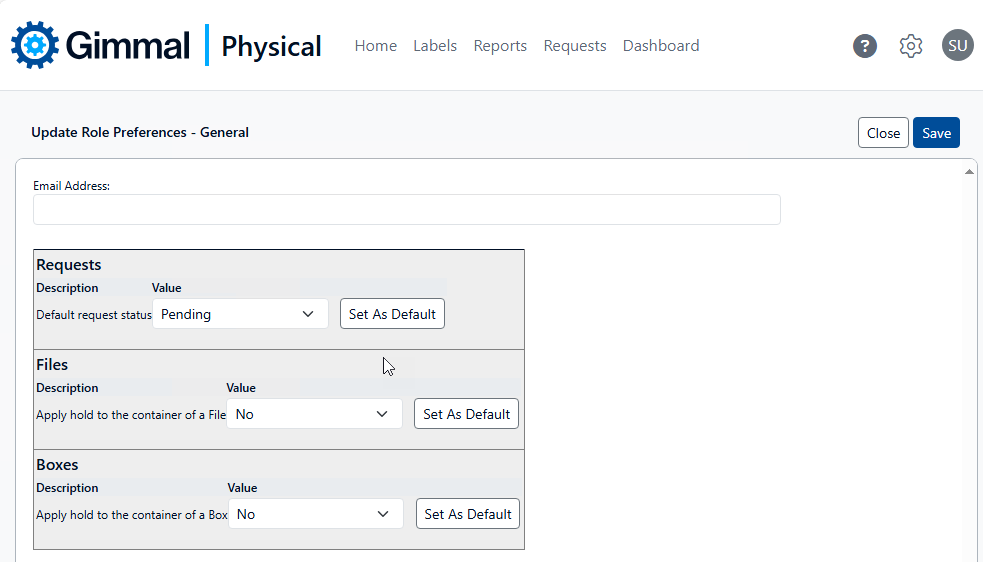
Preferences scoped to Role affect the user experience within the application for all members of a particular role.
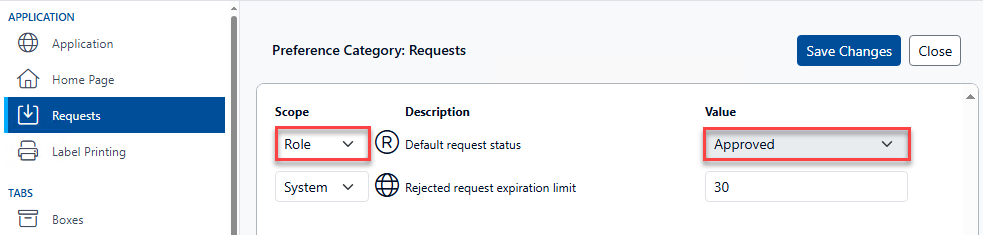
To update the preferences for a role, first ensure the preference has the Role scope.
-
On the Preferences page choose the category for the preference you wish to change.
-
Change the scope of the applicable preference(s) to Role. The Value for this preference will appear greyed out, indicating it cannot be changed on this page.
To change the configuration of Role scoped preferences:
-
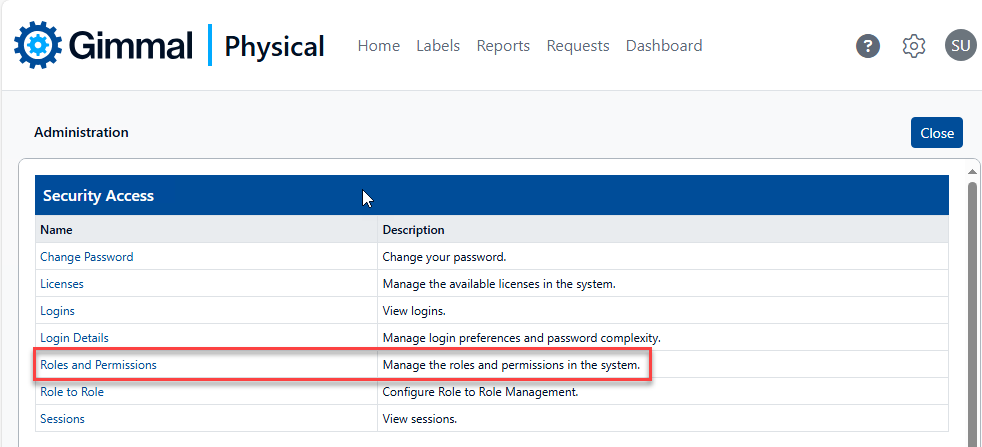
On the Admin page, click Roles and Permissions in the Security Access section to display the Manage Roles page.
-
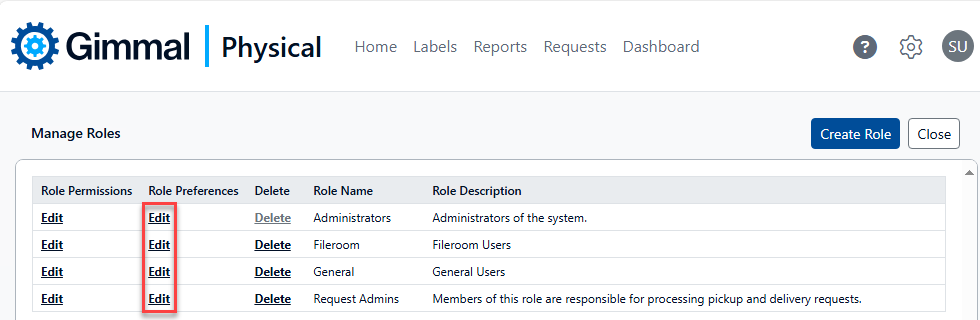
On the Manage Roles page, click Edit under Role Preferences next to the desired role to display the Update Role Preferences page.
-
Update the value drop-down for the desired preference(s). In this example, pickup and delivery requests submitted by members of the Administrators role will automatically have a status of Approved, while Requests made by members of the General role will have a status of Pending.