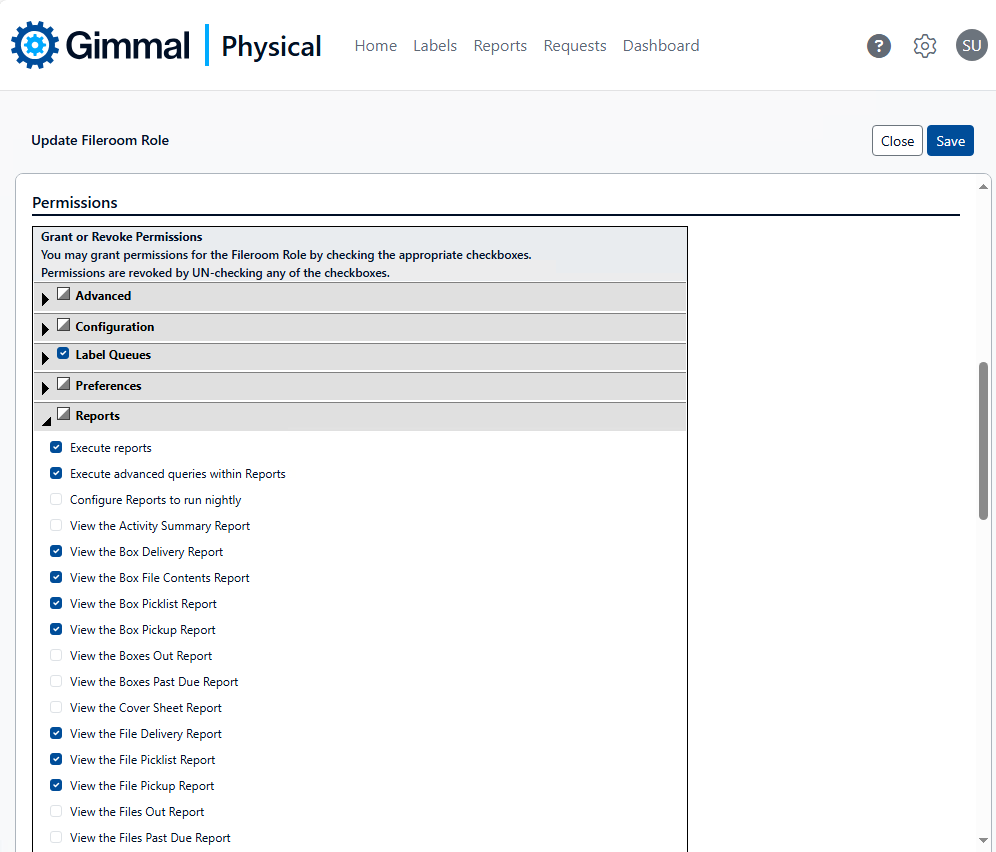
Each role in Gimmal Physical can be configured with specific permissions related to reports in the application including:
-
Permission to execute reports
-
Permission to Execute advanced queries within Reports
-
Permission to configure reports to run nightly
-
Permission to view each individual report
To manage report related permissions for a specific role in the application.
-
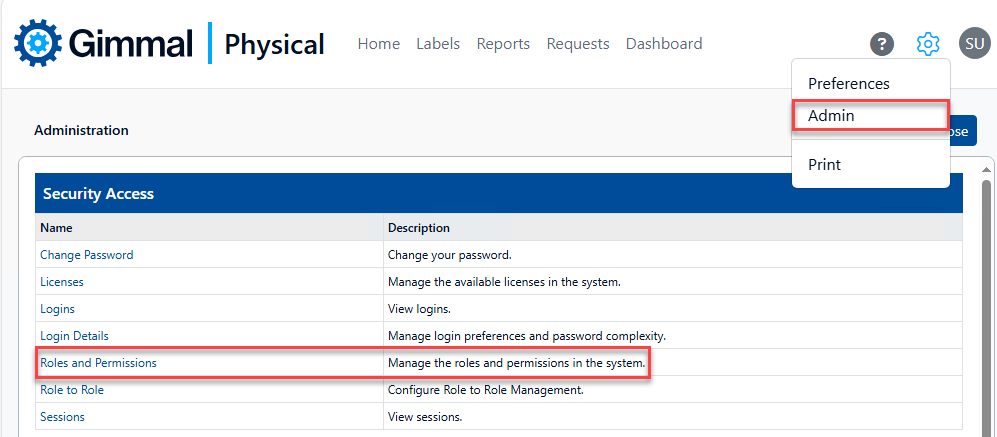
Browse to the Admin page from the gear icon, then click Roles and Permissions in the Security Access section to display the Manage Roles page.
-
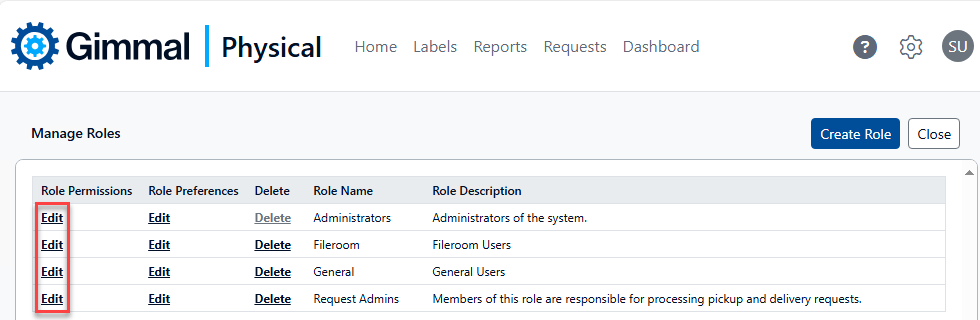
On the Manage Roles page click Edit in the Role Permissions column for the desired role to display the Update Role page.
-
On the Update Role page, expand Reports within the Permissions section. Check or uncheck the boxes as desired to grant/revoke the report related permissions for this role.