
Modify and Add/Modify imports are used to update existing records. The import determines which records to update in these operations by using specified Key Fields configured in the Import Profile.
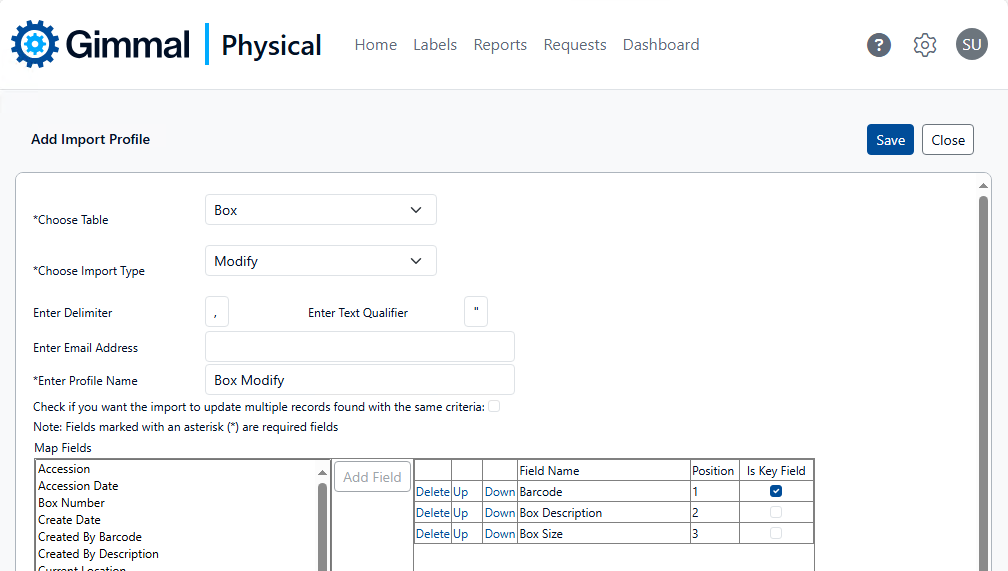
In the image above, a single Key Field, Barcode, is used. With this particular field, there will only be a single matching record in the application (the Barcode is unique throughout the application) and so no other settings are needed.
However, depending on the Key Field(s) used, multiple records in the application may match a single data row in your import file (even if only a single Key Field is specified). In cases where multiple matching records are found, there are two options:
-
Do nothing - with no additional adjustments to the Import Profile, none of the matching records will be updated.
-
Use the checkbox Check if you want the import to update multiple records found with the same criteria. Enabling this option directs the Import operation to update all records that match the Key Field(s).
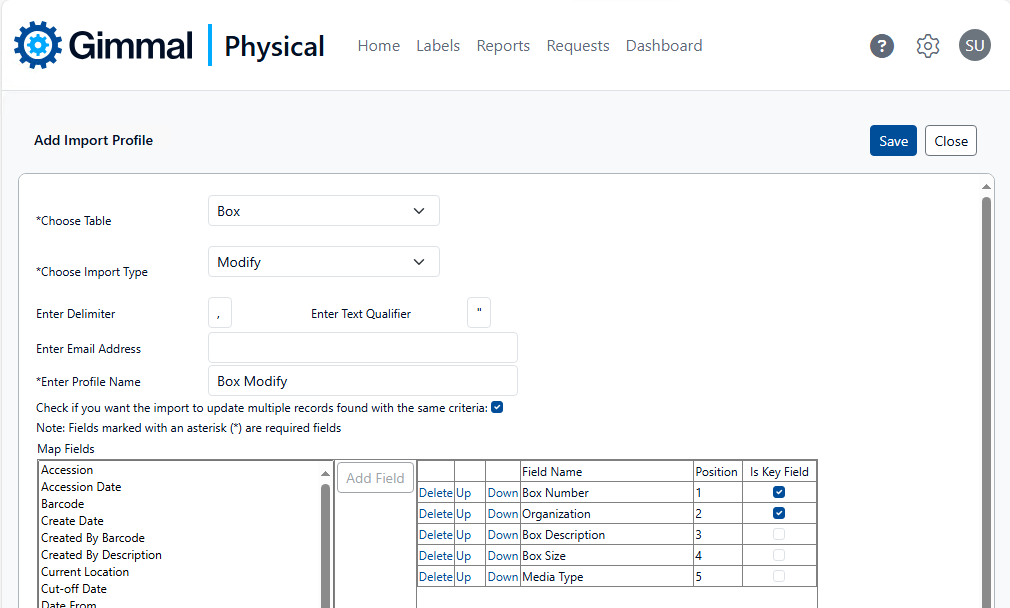
In the image above, Box Number and Organization are specified as the Key Fields. It is not only possible, but may even be expected, that there will be multiple matching records. By enabling the Check if you want the import to update multiple records found with the same criteria option, all boxes with a matching Box Number and Organization Quick Description will have their Box Description, Box Size, and Media Type fields updated with the values provided in the import file.
Return to Importing