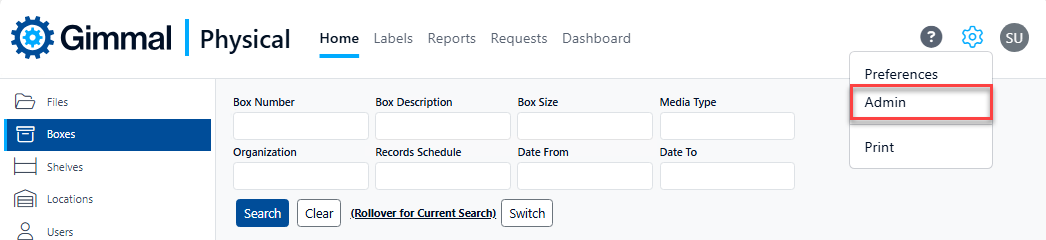
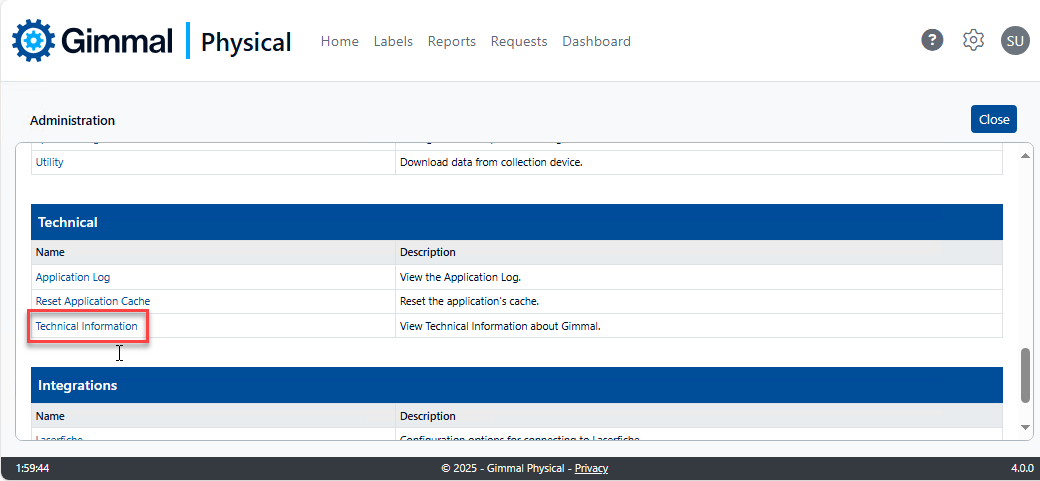
To access Technical Information about your application, click the Admin link in the gear icon, then click the Technical Information link in the Technical section.
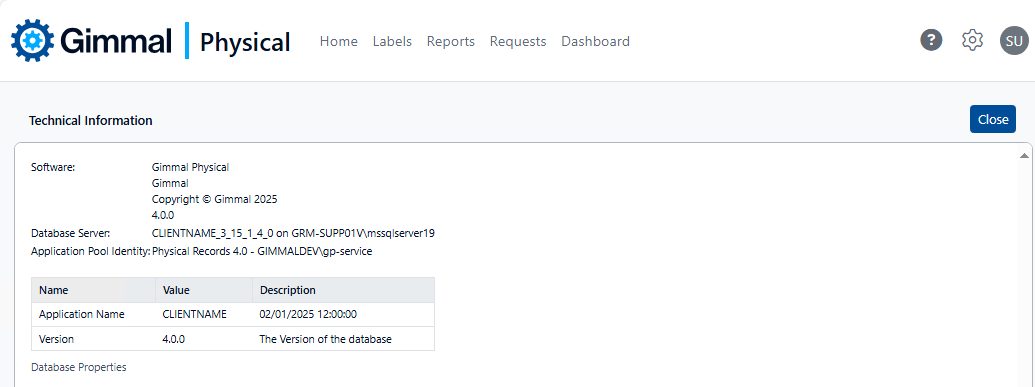
This page contains technical information about your Gimmal Physical installation which may be needed by Gimmal Support including:
-
Application software version
-
Database name and SQL server instance
-
Application Pool Identity
-
Licensee name
-
Database version