
Specifying which fields will carry forward their values when Carry Forward preference has been set to 'Yes'.
-
Click on the Admin navigation menu.
-
On the Admin page, click the link for Tab Field Configuration.
-
On the Set Carry Forward Fields page, choose the data tab and indicate the desired carry forward status for each field.
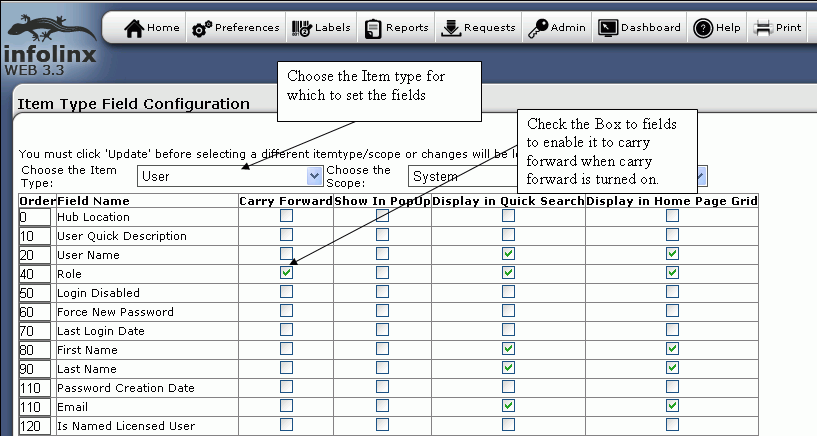
-
Click the Update button to save the changes.
NOTE: Although fields may be specified as Carry Forward, they will not carry forward their values unless the associated User-level preference is set to 'Yes'.
NOTE: This preference is system-wide for each data tab. Activating Carry Forward is a user-level preference as discussed below.
See Activating Carry Forward for instructions.