
Item Type, or Tab Level, Security grants/revokes access to an entire item tab in Gimmal Physical. For example, a Gimmal Physical system in a hospital may be tracking medical charts and HR files. Some of the staff may work exclusively with HR files and have no need to work with the medical charts. The role for this group of users can be configured to hide medical charts throughout the system. For them, it will be as if the medical charts data does not exist.
To grant or revoke access to an entire item tab for a Gimmal Physical role:
-
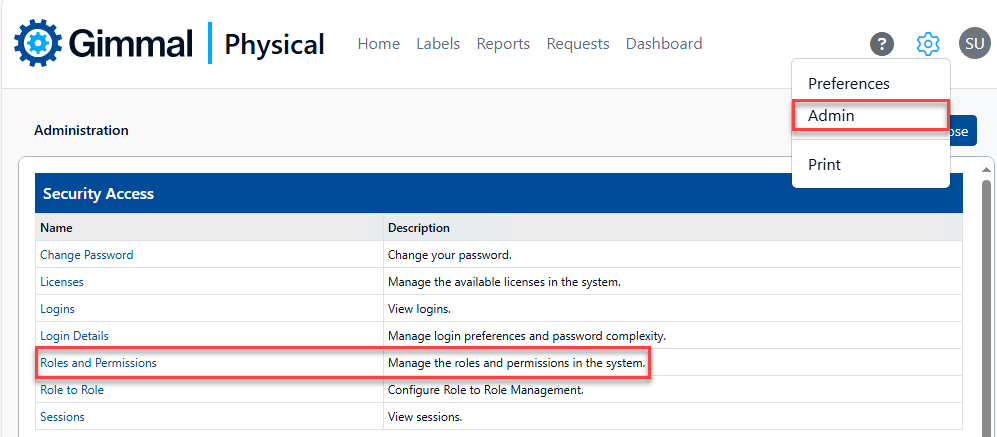
Browse to the Admin page via the gear icon. Then click Roles and Permissions within the Security Access section. This displays the Manage Roles page.
-
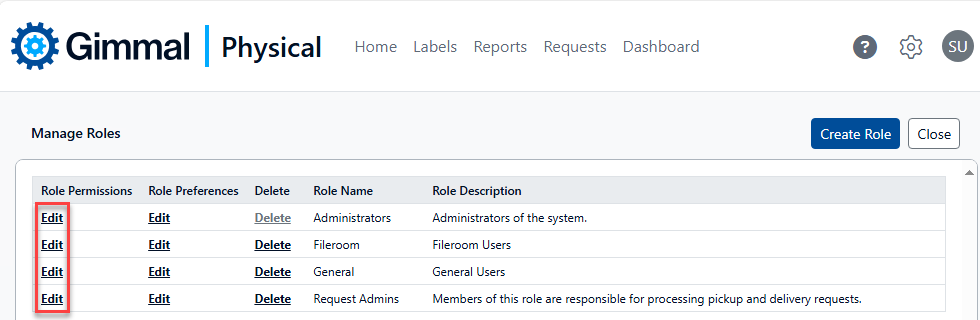
On the Manage Roles page, find the Role you would like to modify and click the Edit link in the Role Permissions column. This displays the Update Role page.
-
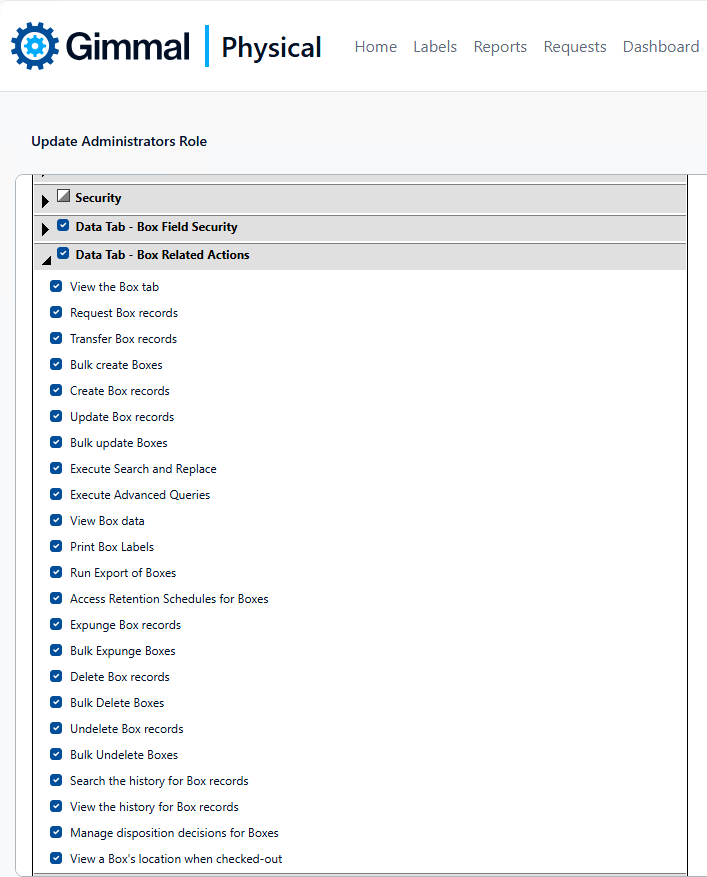
In the Permissions configuration grid, locate and expand the Data Tab - …Related Actions section for the item tab you wish to grant or revoke access to. Uncheck the boxes for all actions in this section. This will grant/restrict the data tab throughout the application for this role.
Completely removing all actions for an item tab may affect users' abilities on other item tabs in the application. Thorough testing is strongly recommended to ensure no loss of functionality.