
Overview
By default, the connector crawls all document libraries in a registered site. You can override this behavior to:
-
Include or exclude specific libraries
-
Optimize performance by limiting scope
Creating New Crawled Library Configuration

-
From the Site Management page, locate your registered site
-
Click the Libraries button for the site
-
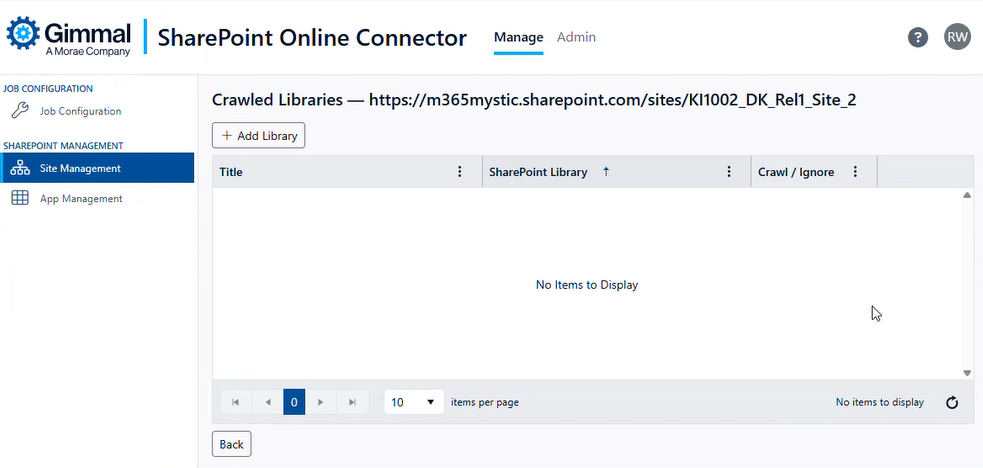
The Crawled Libraries page displays
-
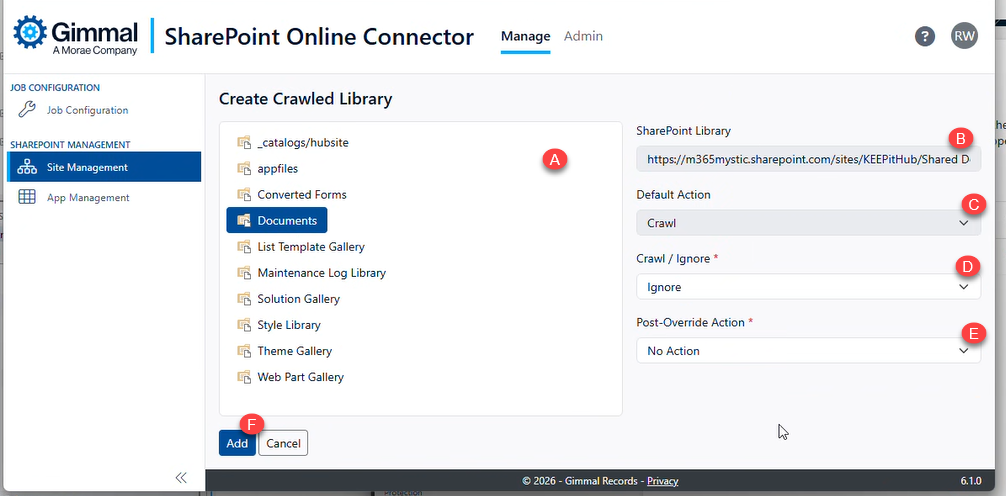
Click the ‘Add Library’ button to select a new library to configure the crawl behavior. This opens the ‘Create Crawled Library’ view. The libraries available for selection are listed in the tree view (A).
-
Choose the options for the library:
-
SharePoint Library: Read-Only field showing the selected library URL (B)
-
Default Action: Read-Only field listing the current Crawl or Ignore status for this library (C)
-
Crawl / Ignore: Used to change the crawl behavior for this library (D)
-
Post-Override Action: This field only shows if the Crawl/Ignore value is set to ‘Ignore’ (E). It offers the following choices
-
No Action - No action is taken on any records that are currently present in Gimmal Records. If records are present in Gimmal Records, they will remain after this library is set to Ignore.
-
Remove Records - If records are present in Gimmal Records, they will be removed after this library is set to Ignore.
-
-
-
Save the Configuration by clicking ‘Add’
Changing an Existing Crawled Library Configuration
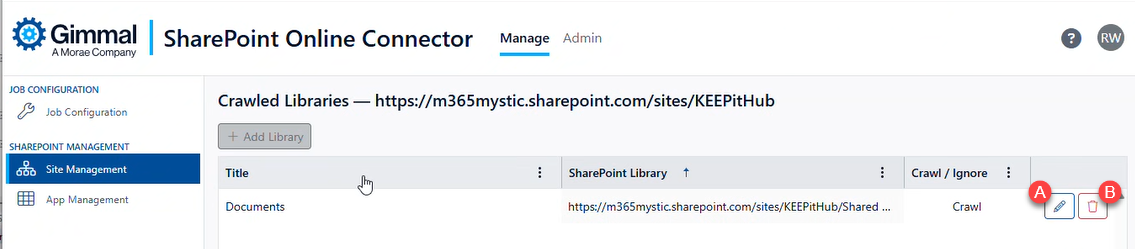
Administrators can edit or remove the options associated with the crawled behavior (called ‘Crawl Overrides') by using the buttons associated with the listed libraries.
-
Edit: Click the Edit button next to an override to modify settings (A)
-
Delete: Click the Delete button to remove the override and revert to default behavior (B)
Default Crawling Behavior
If no override is configured for a library:
-
✅ All document libraries are crawled
-
✅ All folders within libraries are included
-
✅ Classification is enabled
-
❌ System libraries (e.g., Form Templates, Style Library) are excluded
-
❌ Hidden libraries (e.g., libraries that are hidden from SharePoint search results) are excluded