
Overview
Transfer configuration enables automatic movement of records between SharePoint libraries based on lifecycle phase transitions. This is useful for:
-
Archiving records to a separate library
-
Moving records through approval workflows
-
Segregating records by retention phase
Important: Transfers are move operations, not copies. The document is removed from the source library and placed in the destination library.
Transfers configurations are only available for record classes with a lifecycle that includes Transfer or Transfer and Dispose actions.
Step 1: Access Transfer Configuration
-
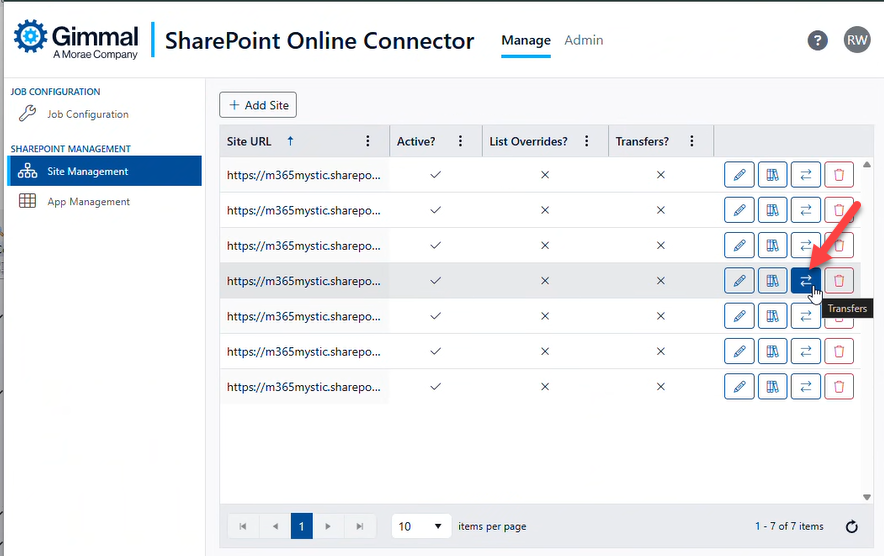
From the Sites page, locate your registered site
-
Click the Transfers button for the site
-
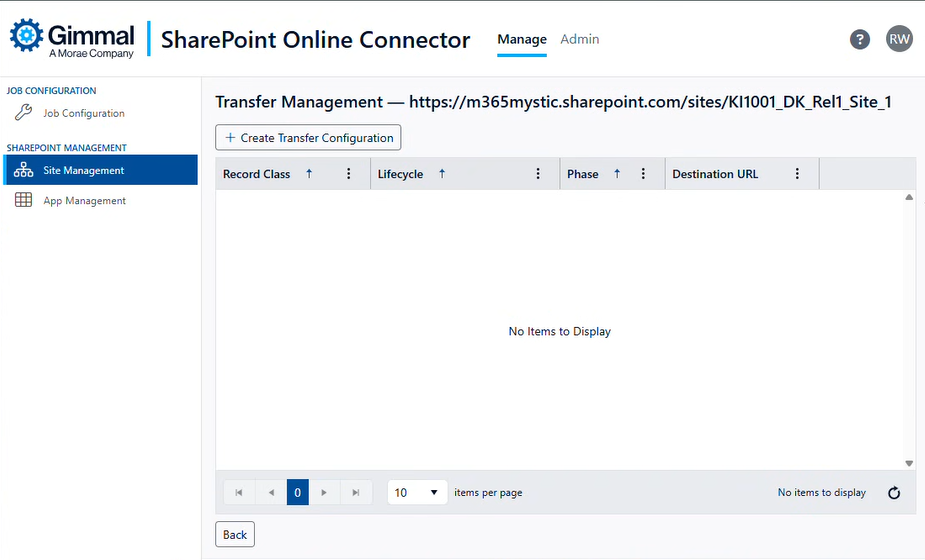
The Transfer Configuration page displays
Step 2: Create Transfer Configuration
-
Click the Create Transfer Configuration button
-
Configure the transfer settings:
|
Setting |
Description |
Example |
|
Record Class |
The record class that triggers the transfer |
HR Policies |
|
Lifecycle Phase |
The phase that triggers the transfer |
Archive |
|
Destination Library URL |
Full URL to the destination library |
https://contoso.sharepoint.com/sites/Archive/Documents |
|
Retain Directory Structure |
Preserve folder hierarchy in the destination |
Yes / No |
-
Save the configuration
Step 3: Configure Retention Settings in Records Manager
For transfers to work, you must configure retention settings in Records Manager:
-
Open Gimmal Records Manager Administration
-
Navigate to the record class (e.g., “HR Policies”)
-
Configure retention schedule with lifecycle phases
-
Add a phase that matches your transfer configuration (e.g., “Archive”)
-
Set the trigger for the phase (e.g., “3 years after creation”)
Example Transfer Configuration
Scenario: Move HR policy documents to an archive library after 3 years.
Records Manager Configuration: - Record Class: HR Policies - Retention Schedule: - Phase 1: Active (0-3 years) - Phase 2: Archive (3+ years)
SPOC Transfer Configuration: - Record Class: HR Policies - Lifecycle Phase: Archive - Destination Library URL: https://contoso.sharepoint.com/sites/HRArchive/Shared Documents - Retain Directory Structure: Yes
Result: When an HR policy document reaches 3 years old, it automatically moves to the archive library while preserving its folder structure.
Transfer Configuration Options
Retain Directory Structure
-
Yes: Recreates the source folder path in the destination library
-
Source: /sites/HR/Shared Documents/Policies/2021/Policy.docx
-
Destination: /sites/Archive/Documents/Policies/2021/Policy.docx
-
-
No: Places all documents in the root of the destination library
-
Source: /sites/HR/Shared Documents/Policies/2021/Policy.docx
-
Destination: /sites/Archive/Documents/Policy.docx
-