
A record class defines a named grouping in which physical assets can be assigned. Associated to this grouping, or record class, is a number of properties that define more detailed information about the asset, as well as the Lifecycle that assets that are assigned to this grouping will follow.
-
Select Physical on the Main Menu, and then Containers on the left navigation menu. The Containers page displays.
-
Locate the container that has the physical asset you want to associate to a record class, click the drop-down arrow on the right side, and select View Assets. The Physical Assets dialog opens.
-
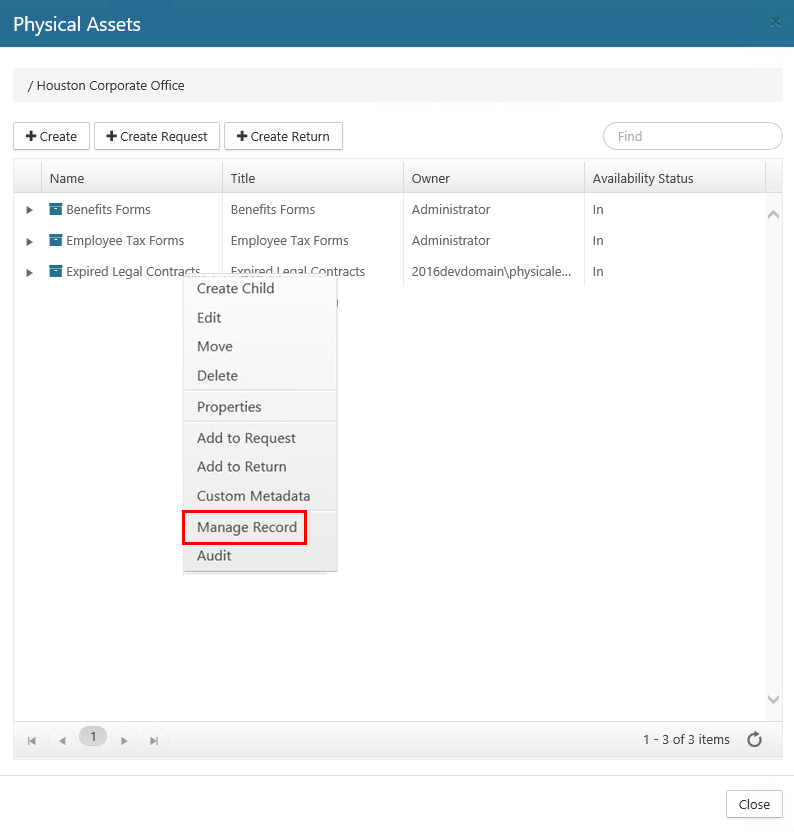
Right-click the desired asset, and select Manage Record. The Manage Record dialog opens.
-
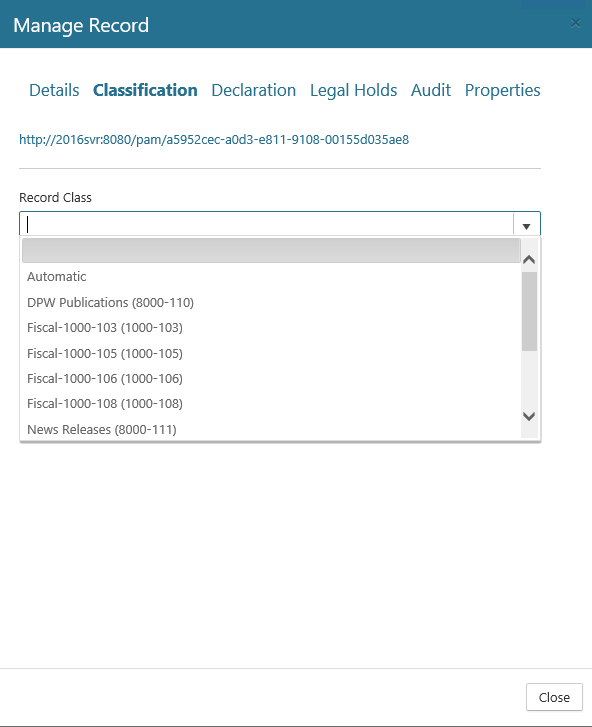
Click the Classification tab.
-
Click the drop-down arrow, select the desired record class, and then click Save.
-
Click Close to close the dialog.