Granting Access
To grant users access to the system, perform the following actions:
-
Select Secure from Main Menu
-
Select New User
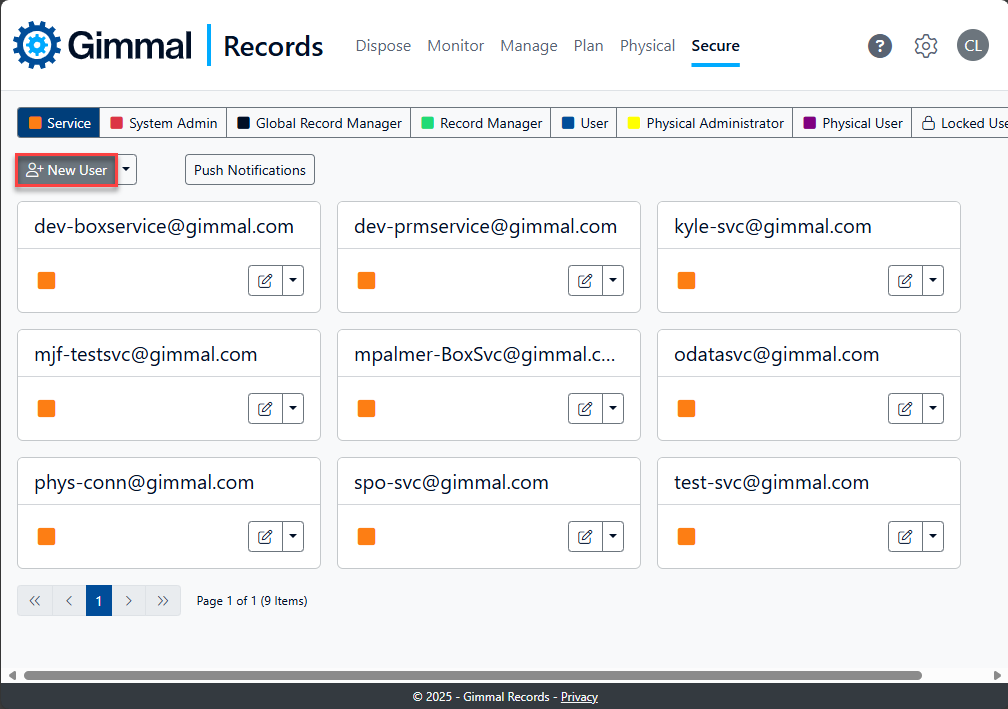
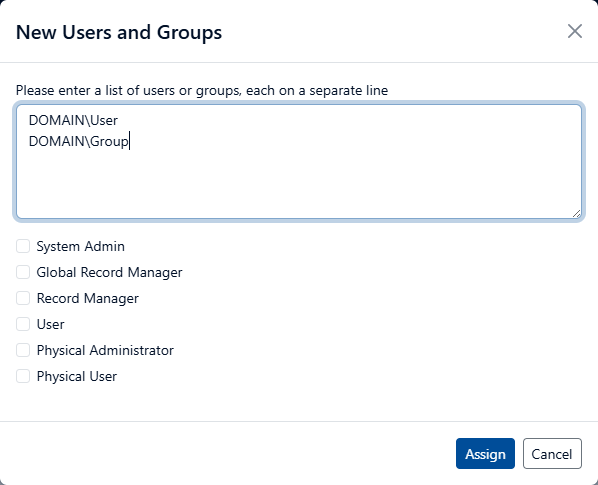
The New Users and Groups window appears.
-
Enter the names of each Login you are granting access (one per line)
-
Select check boxes for the type of access you want to grant
-
Select Assign
Use Windows Domain Users and/or Groups in the following format:
-
DOMAIN\User
-
DOMAIN\Group
When giving a domain group access, you must ensure that the pre-Windows 2000 group name, also known as the SAMAccountName, is used or the group will not be granted access. This is typically the same as the Active Directory group name, but it does not have to be.
Revoking User Access
In order to remove users from the system, perform the following actions:
-
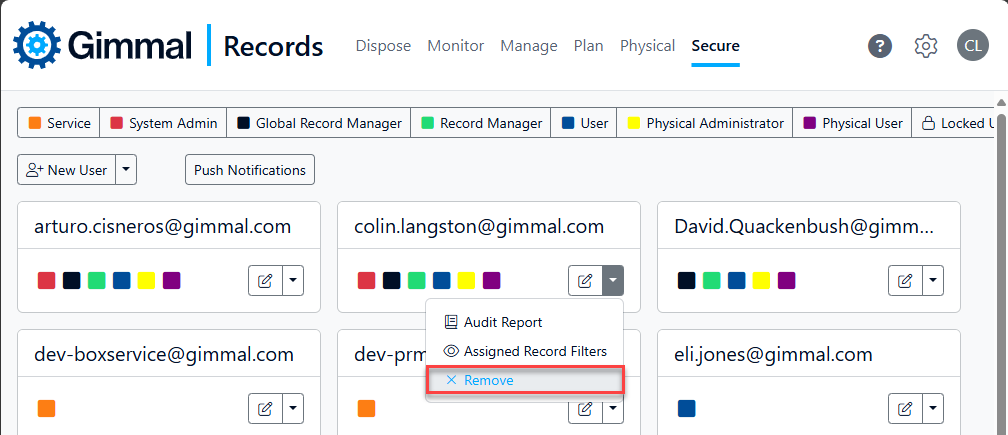
Select Secure from the Main Menu.
-
Select the drop-down for a specific user.
-
Select Remove from the menu and confirm.