
Canceling a Request
-
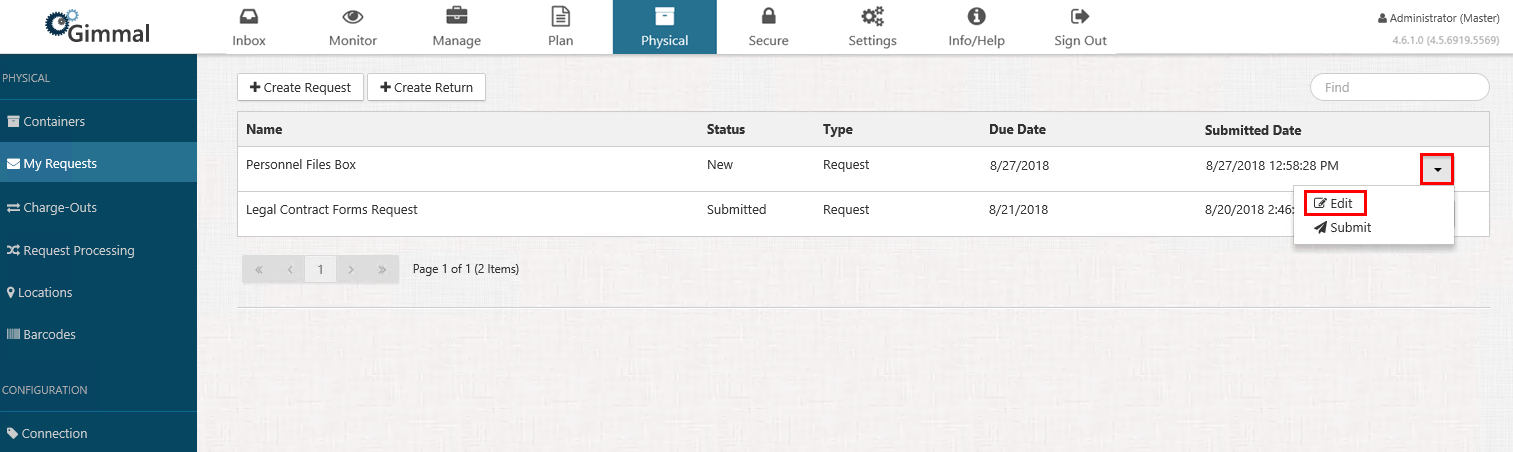
Select Physical from the Main Menu, and then select My Requests from the left navigation menu. The My Requests page displays
-
Locate the request you want to cancel or edit. The request must have a Status of Submitted if you want to cancel. Click the drop-down list on the right side, and select the action you want to take
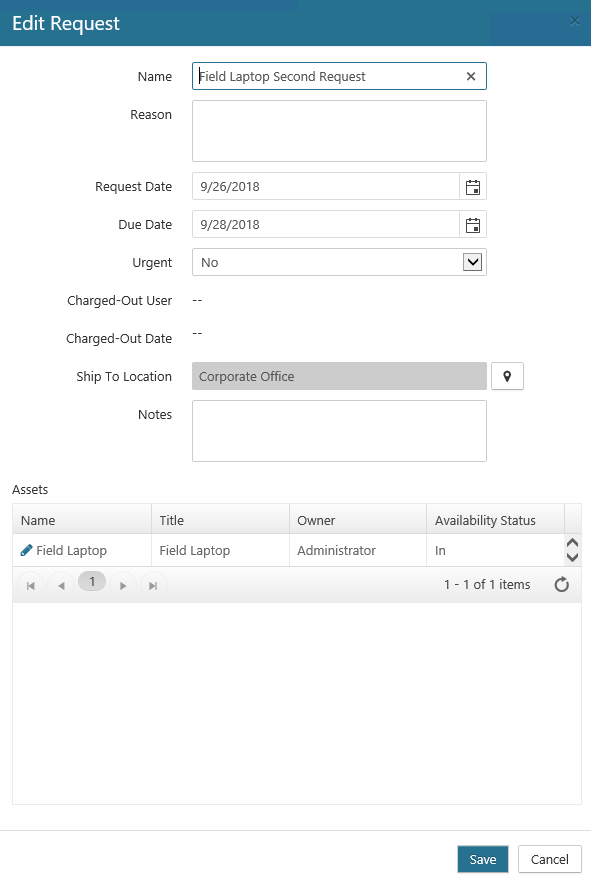
The Edit Request dialog opens.
-
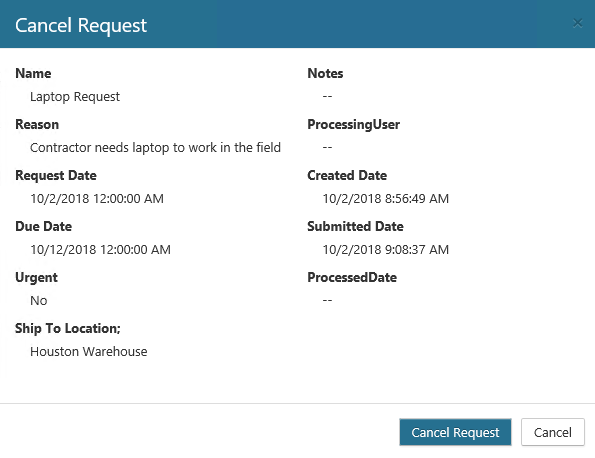
Select Cancel, a confirmation window will open. Click Cancel Request. On the My Requests page, the request still displays, but the Status for the request changes to Canceled.
Deleting a Request
You can delete a request under the following conditions:
-
The request has a Status of New.
-
The request has been rejected or canceled.
To delete a request, perform the following steps:
-
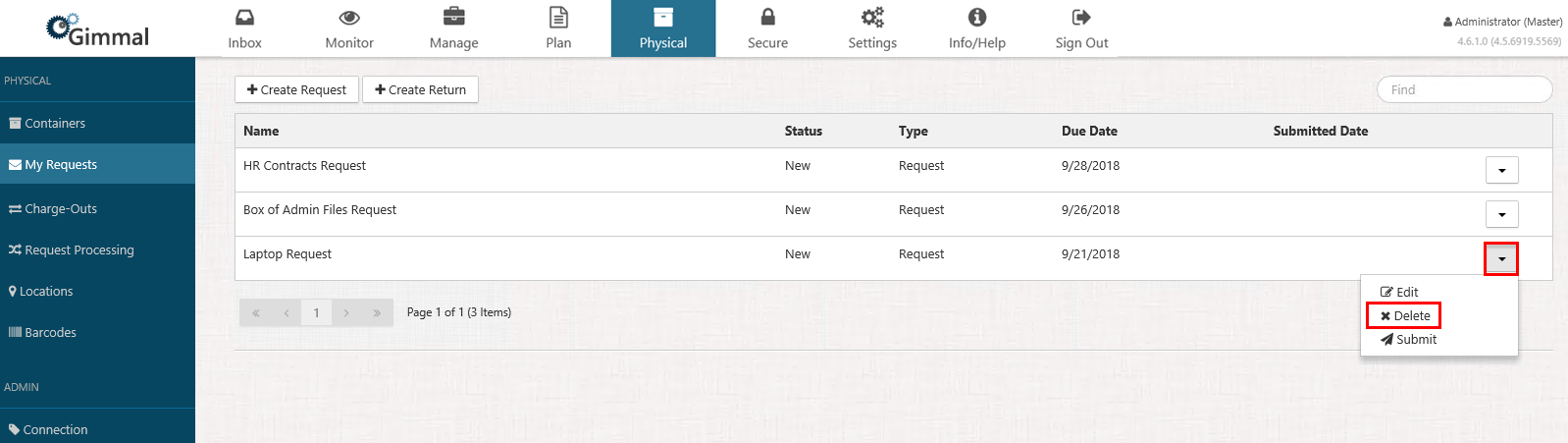
Select Physical from the Main Menu, and then select My Requests from the left navigation menu. The My Requests page displays.
-
Locate the request you want to delete, click the drop-down list on the right side, and select Delete.
A confirmation window displays, showing you the properties of this request.
-
Click Delete. The request is deleted and no longer displays on the My Requests page.