Note: The screenshots may reflect an older version of Gimmal Records; however, the content remains valid.
Preparing for Disaster Recovery
Preparing for disaster recovery of Gimmal Records is a matter of ensuring that you have a proper SQL Server Maintenance Plan in place to handle the backing up of the Gimmal Records database on regular intervals.
It is important to note that the Web and Services that make up Gimmal Records can simply be reinstalled on another server and pointed to any Gimmal Records database and, therefore, have no relevance in terms of disaster recovery. The database, on the other hand, is where all of the mission-critical information is stored and maintained. Therefore, it is absolutely critical that regular backups are captured and stored in a secure location where they can be accessed should the need arise.
In the event that a disaster does occur, having ensured that you have a working SQL Server backup in place, you should have nothing to worry about when recovering the system.
Review the following SQL Server documentation for information on SQL Server backup and restore strategies: http://technet.microsoft.com/en-us/library/ms189647.aspx
Backing up the Gimmal Records Database
To perform a backup of the Gimmal Records database, follow the referenced SQL Server documentation: http://technet.microsoft.com/en-us/library/ms187510
In production scenarios, a SQL Server Maintenance Plan should be created, which backs up the Gimmal Records Database at regular intervals. The SQL Server documentation for this can be found at the following location: http://technet.microsoft.com/en-us/library/ms189647.aspx
Considerations
When choosing a backup strategy for Gimmal Records, you should analyze the backup strategies used by each repository where the content being managed by Gimmal Records is actually stored, and choose a strategy that most closely resembles what they use. This will ensure that if both systems are lost, they can be restored to a similar point in time.
Recovering From a Disaster
Restoring the Gimmal Records Database
In order to restore a backup of the Gimmal Records database, see the following SQL Server documentation.
Installing Gimmal Records using a Recovered Database
Once the Gimmal Records Database has been restored, the next step is to install both the Gimmal Records Web and Service.
Gimmal Records Web
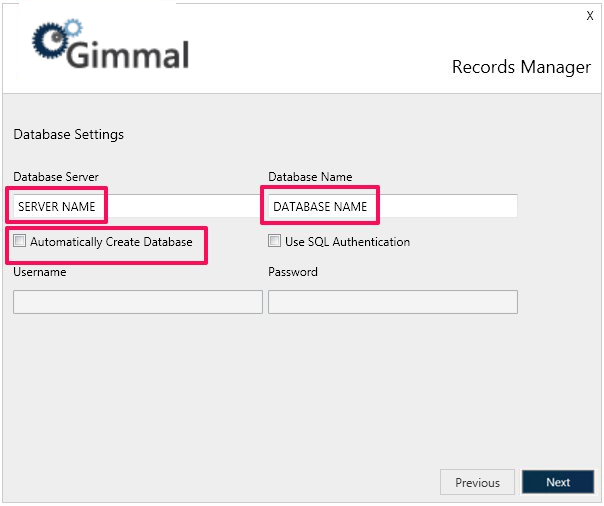
To install the Gimmal Records Web, when the Database Settings screen displays, enter the name of the Server and Database to which the backup was restored and deselect the option to “Automatically Create the Database.”
Gimmal Records Processing Service
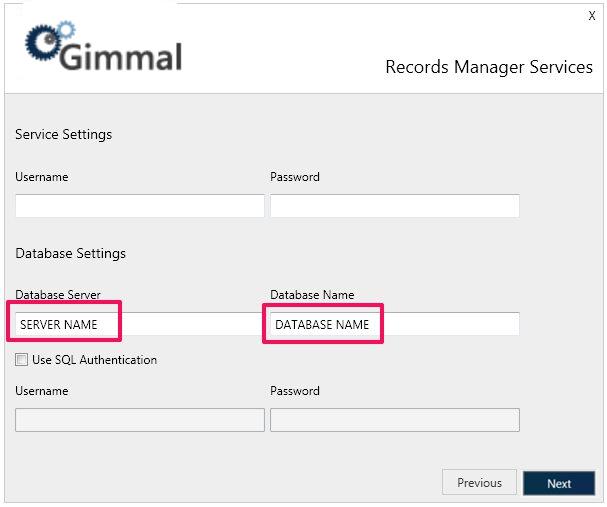
To install the Gimmal Records Processing Service, when the Database Settings screen displays, enter the name of the Server and Database to which the backup was restored.