
Data Migration Utility

This article is provided for informational purposes only. The Migration Utility is an internal tool, shared with select customers to be used only with the guidance of the services & support teams.
The Migration Utility for Gimmal Records is used to perform the following Migrate and Import functions in conjunction with the Gimmal Professional Services team. It is not supported as a separate application. Details are provided for information purposes.
The utility uses a wizard screen to guide users through the steps of the migration
Migrate
The following can be migrated from one Gimmal Records Server to another:
Classification rules
Record Classes
Lifecycles
Retentions
Triggers
Holds
Import
The following can be imported from an Excel-based File Plan:
Record Classes
Lifecycles
Retentions
Triggers

Please Note:
The migration utility does not support the import/migration of Physical Records and containers.
When using the migration utility to move File Plans (and specifically Record Classes) from one instance of Gimmal Records to another, components such as Retention Triggers, Retentions, and Lifecycles will only be included in the migration if they are connected to a Record Class that is being migrated. Components that are not associated with a Record Class will not be migrated.
The migration utility is intended to be used in conjunction with implementation team efforts.
Running the Migration Utility
Open the Migration Utility
To open the Migration Utility, navigate to the directory selected during installation, and double-click Gimmal.RecordsManager.Migrate.exe. The default installation directory is:
C:\Program Files\Gimmal\Records Management\Migration
You can also open the Migration Utility from the Windows Start menu by selecting Gimmal Migration Utility.
Welcome Screen
When the application first opens, you will be presented with the Migration Utility Welcome screen. From here, select which function you would like to perform.
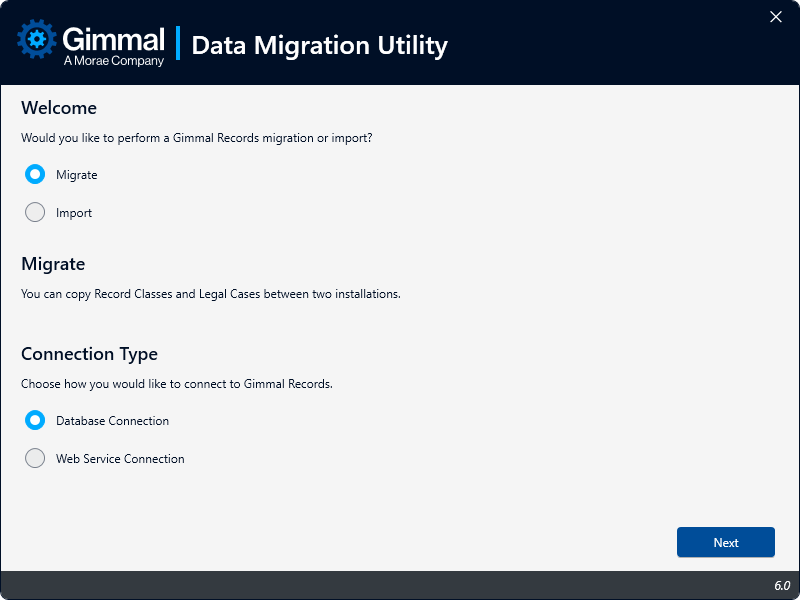
Select one of the following options, then select a Connection Type, and click Next.
The Migration Utility is designed to be used in conjunction with Gimmal Professional Services and is not supported as a component of Gimmal Records. Details described in this article are provided for informational purposes only