
It is best practice to create the System Admin role to use for standard administration tasks. Only use the Master Account when needed.
To create and assign a System Admin user:
-
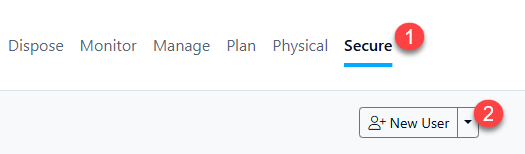
Select the Secure option on the Main Menu
-
Select the 'New User' button. Do not click the drop down!
-
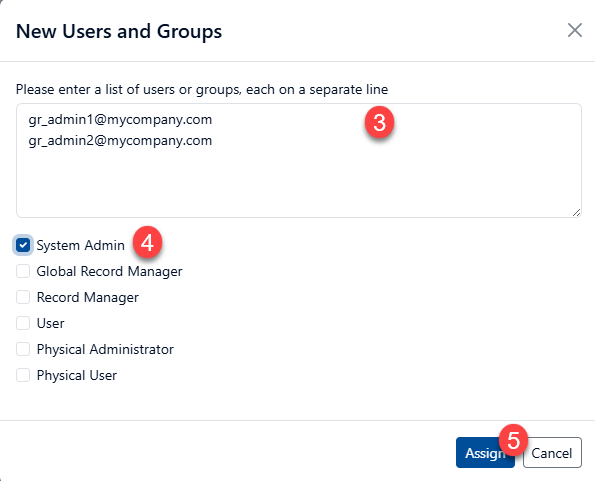
Enter each new user on a separate line in the text box
-
Tick the System Admin checkbox
-
Click the ‘Assign’ button to save the new users
While you may create as many System Admin users as necessary, keep in mind that these accounts can control all aspects of Gimmal Records. We recommended these limiting the number of accounts to maintain security of the system